OxygenOS 16: Finally, Easier Earbud Control on OnePlus Phones!
As someone who's deeply invested in the Android ecosystem, I've always appreciated OnePlus' commitment to delivering quality devices. However, there's been one nagging issue that has consistently bothered me: the convoluted process of adjusting earbud settings. It's great to see that OxygenOS 16 is finally addressing this with a much-needed simplification.
For a while now, if you wanted to tweak even the most basic settings on your OnePlus Buds, like ANC mode, you had to dive into the Bluetooth menu, select your specific earbuds, and then tap through several layers of menus. If you're used to Samsung or iPhone devices, this probably felt like a real hassle. I know I'm not alone in thinking this because I have even mentioned it to folks from the OxygenOS and audio equipment teams at OnePlus at every chance I have had.
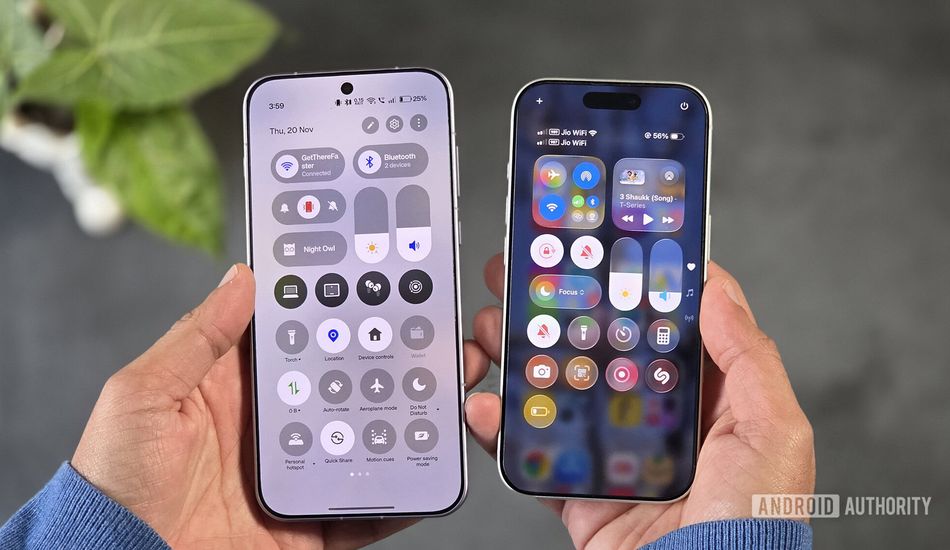
With OxygenOS 16, OnePlus introduces a new option to customize Bluetooth earbud settings right where you’d expect them — right in the Quick Settings panel. This latest addition is part of the wider Quick Settings overhaul that OxygenOS 16 brings, including the options to move the brightness and volume sliders more freely, or add dedicated widgets for audio profiles. The "My Devices" widget lets you quickly access controls for noise cancellation and battery life. It streamlines the whole experience, making it far more intuitive and user-friendly.
But it doesn't stop there. OxygenOS 16 also introduces home screen widgets for connected devices, including earbuds. This is fantastic because it allows you to control multiple pairs of earbuds simultaneously, something that even Samsung's implementation doesn't offer. It's a small touch, but it makes a big difference in usability.
Beyond just earbuds, the "My Devices" feature lets you manage other connected OnePlus devices, like the OnePlus Pad's pencil or even your PC via O+ Connect. While it's not quite the seamless ecosystem that Apple offers, it's definitely a step in the right direction. Even though OnePlus doesn’t include the OnePlus Watch here, maybe it will be included on future updates.
Of course, there are still a few areas where I'd like to see improvement. For example, the new Quick Settings customization is only available when notifications and Quick Settings are split across two pages. And I'd love to see support for the OnePlus Watch 2 in the "My Devices" widget. Also, the two-column widget in quick settings automatically shows the last device you interacted with, so I would really like OnePlus to offer an option to pin favorites.
Despite these minor shortcomings, I'm genuinely happy with the changes OnePlus is making. It shows that they're listening to user feedback and are committed to refining the overall user experience. I can appreciate the time the team has taken to refine utility across my beloved OnePlus devices, and I hope there’s more to come.
Source: AndroidAuthority