iOS 26.2 Beta 3: A Closer Look at the New Features
Apple just dropped the third beta for iOS 26.2, and it's packed with some interesting tweaks. It's pretty cool to see how they're still adding fresh features at this stage. I've been digging through it, and here's what caught my eye.
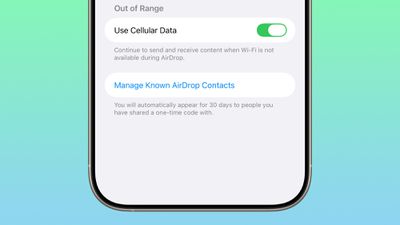
One of the handiest updates is definitely the improved AirDrop functionality. Now, you can share files with people without needing to exchange contact info first. It's super simple: iOS 26.2 lets you generate a one-time code to share. This code grants AirDrop access for 30 days. To manage these temporary connections, just head to Settings > General > AirDrop > Manage Known AirDrop Contacts. This is great for quickly sharing files with someone you meet at a conference or a client without the commitment of adding them to your contacts.
Health and Privacy Enhancements
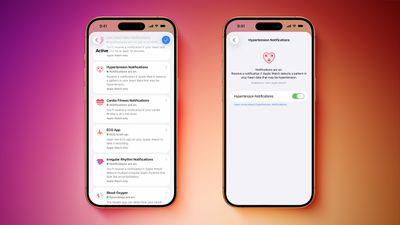
If you're using an Apple Watch with Hypertension Notifications, this update is for you. There's a new API that allows apps to request authorization to read these notifications. So, if you’re developing a health app, this could be a valuable addition. Imagine an app that alerts your doctor automatically if you receive a hypertension alert – that's the kind of integration this API enables.
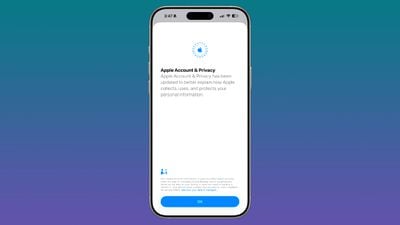
Privacy-wise, Apple is also keeping things transparent. After installing iOS 26.2, you'll see a notification about updated privacy information for Apple Accounts. This update aims to clarify how Apple collects and uses your personal data. It's always good to see companies being upfront about this stuff, giving us a better understanding of what's happening behind the scenes.
Customization and Accessibility
For users in Japan, there's a potentially big change coming. It looks like Apple is working on allowing Japanese users to choose a different default voice assistant. Currently, a long press on the side button activates Siri, but the beta includes code suggesting you might be able to swap Siri for something like Gemini or Alexa. This feature seems to be exclusive to Japanese Apple Accounts, which is a bummer for the rest of us who might want to try it out.
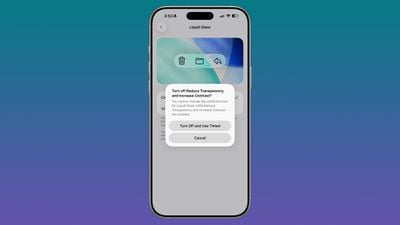
Visually, the new "Tinted" option in Liquid Glass mode is interesting. It reduces transparency, but there's a caveat: it can't be used with the Reduce Transparency and Increase Contrast accessibility settings simultaneously. When you enable Tinted mode, it will automatically turn off those accessibility features. This is a good example of how Apple is trying to balance aesthetics with accessibility, even if it means some trade-offs.
Gaming and Reminders
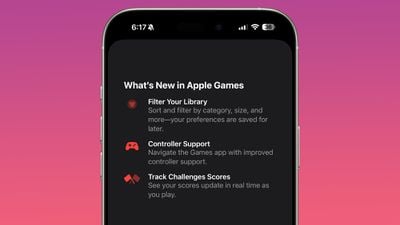
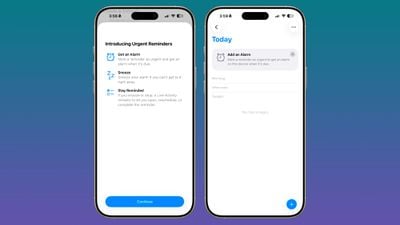
Gamers, take note! The Games app is getting some love in iOS 26.2. Expect options to filter your game library, better controller support, and real-time score updates during challenges. Also, when adding a new item to a list, you'll now see a reminder about the option to mark a reminder as urgent to get an alarm.
iPadOS Improvements
Finally, for iPad users, there's good news: you can once again drag and drop apps from the App Library, Dock, and Spotlight into Slide Over and tiled views. This is a welcome return of functionality that was previously removed, making multitasking on the iPad a bit easier.

1 Image of iOS 26.2 Beta 3:

Source: Mac Rumors