iOS 26.2 Arriving Soon: What's New for Your iPhone
I think you will agree with me that Apple is gearing up to release iOS 26.2 around mid-December, bringing a mix of new features and improvements to your iPhone. While some changes are specific to users in Japan, many tweaks will be available to everyone globally. Let's dive into what you can expect.
Enhanced Reminders
If you're like me and rely heavily on the Reminders app, you'll appreciate the new option to set off an alarm when a reminder is due. When you create a reminder, simply toggle on the "Urgent" option to enable this feature. When the alarm goes off, it'll display a snooze option or a slide to stop. Snoozing it shows a countdown on the Lock Screen, allowing you to complete or reschedule the reminder. To distinguish it from standard alarms, Apple uses a new blue color for Reminders alarms.
Lock Screen Customization
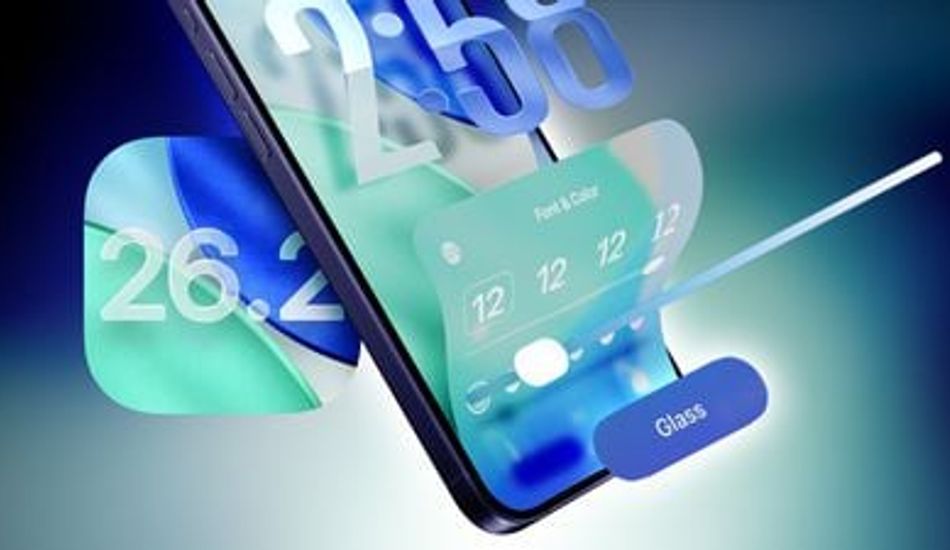
The Lock Screen gets a cool upgrade with a Liquid Glass slider for customizing the clock's appearance. Using the "Glass" option, you can adjust the time to look almost entirely clear or give it a frosted look. Don't worry, there's also a "Solid" toggle to turn off the Liquid Glass effect entirely if you prefer a more opaque design. Plus, you can still use the color options for the clock. I find it a great way to personalize my device even further.
AirDrop Made Easier
Apple is simplifying file sharing with new AirDrop functionality. Now, you can share files temporarily without needing to add someone as a contact. iOS 26.2 includes an option to generate a one-time AirDrop code, which can be shared with non-contacts. This code enables file exchanges over AirDrop for 30 days. You can manage these temporary connections in the Settings app under General > AirDrop > "Manage Known AirDrop Contacts." It's a handy feature for quick, secure sharing.
Apple Music and Sleep Score Improvements
For music lovers, Apple Music now supports offline lyrics, letting you view song lyrics even without Wi-Fi or cellular data. Additionally, Apple has fine-tuned the Sleep Score feature introduced earlier this year with iOS 26.2 and watchOS 26.2. The new Sleep Score ranges are designed to better reflect how you feel after a night's sleep.
The "Excellent" rank is now "Very High," aligning it with other labels. Sleep Scores are available on all Apple Watch models compatible with watchOS 26.2 and can be found in the Health app. Apple's Sleep Score considers sleep duration, bedtime, and interruptions to assign a nightly score, helping you identify habits that may impact your sleep quality.
Podcast and Password Updates
If you're an avid podcast listener, the Podcasts app gets a boost with three new features: automatically created chapters, options to see mentions of other podcasts, and access to links mentioned in an episode. The Passwords app also receives an update, allowing you to manage websites where passwords aren't saved when signing in.
Additional Features
iOS 26.2 brings even more to the table. AirPods Live Translation expands to the European Union, supporting multiple languages. The Freeform app now supports Tables. The Weather app is getting relative time for alerts, and Apple News has a redesigned layout with quick access buttons for various categories. The Flash for Alerts option now includes the screen, and the Measure app features a Liquid Glass design for the level. And for gamers, there’s now an option to sort games by size in the Games app Library, along with controller navigation support and real-time challenge score updates.
CarPlay users can now disable pinned messages for a more classic Messages view. When accessing your Apple Account, you’ll see updated privacy information. Plus, for users in Japan, there's exciting news: the option to choose a different default voice assistant and search engine.
Lastly, in iPadOS 26.2, multitasking gets a boost with the ability to drag and drop apps into Slide Over and tiled views. iOS 26.2 is set to be a substantial update, bringing a host of improvements and features to enhance your overall experience.
1 Image of iOS 26.2:

Source: Mac Rumors