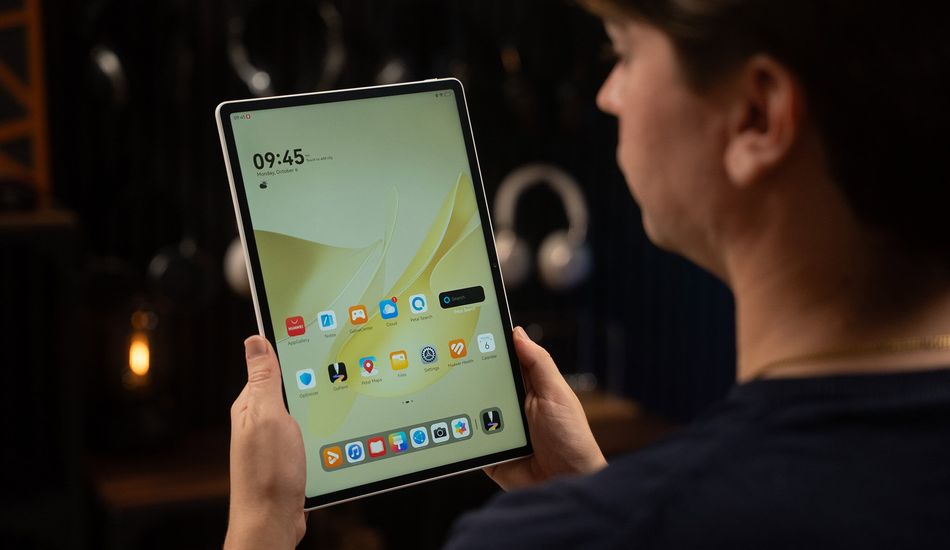
HUAWEI MatePad 12 X (2025): A Promising Tablet With a Catch
I've always loved tablets, even since I got my first laptop back in college. There's just something about their versatility that keeps me coming back. The HUAWEI MatePad 12 X (2025) aims to be the ultimate device for creatives and students, so I was eager to see if it lives up to the hype and how it fares against other Android tablets.
The design is definitely appealing. It's incredibly thin and light, feels great in the hand. The matte display is a standout feature, something I wish more tablets would adopt. Glare is virtually non-existent, making it a joy to use indoors and even outdoors. However, the matte finish does make fingerprints a bit more noticeable.
The display is impressive. With a 144Hz refresh rate, everything feels incredibly smooth. While it's not an OLED panel, which you might expect on a flagship device, it's still a fantastic display for the price.
Battery life is always a concern, but the MatePad 12 X packs a large 10,100mAh battery. Although HUAWEI claims fourteen hours of video playback, my own testing yielded around six hours of YouTube streaming. It also supports fast charging, but you'll need HUAWEI's charger to get the advertised speeds. This is a bummer because it means additional costs.
Internally, the tablet is powered by a HiSilicon Kirin T92 processor, paired with 12GB of RAM. This combination handles most tasks with ease, including light video editing and running complex drawing apps. Speaking of drawing, the optional M-Pencil Pro is a game-changer. It boasts incredible pressure sensitivity and features, making it feel like a true professional tool. It's so capable, that any limitations you find will probably come from software, not the stylus itself.
The Software Catch
Here's where things get tricky. Due to ongoing restrictions, the MatePad 12 X doesn't have official access to Google Play Services. While you can still use streaming apps through the browser, the lack of native app support is a major drawback. To me, a device is only as good as the software it runs. Especially for professionals who rely on specific apps for their work, this could be a deal-breaker. It means relying on unofficial workarounds, which can be unreliable and time-consuming.
It's a shame because, once you get past the software limitations, the MatePad 12 X really shines. The drawing experience is fantastic, thanks to the high refresh rate, low latency, and the PaperMatte texture of the display. HUAWEI also includes a selection of drawing apps in its AppGallery, but many artists might prefer to stick with the apps they already know and use.
In conclusion, the MatePad 12 X has a lot going for it. The hardware is great, especially the display and the optional M-Pencil Pro. However, the software limitations are a significant hurdle. If you're willing to jump through hoops to get your favorite apps working, it might be worth considering. If not, you might be better off looking at other options.
Source: AndroidAuthority